

Gear SpecialistBundlingMusician


Pro Gear Advisers
•866-498-7882
Guitars
Guitars
Amps & Effects
Amps & Effects
Used & Vintage
Keyboards & MIDI
Keyboards & MIDI
Drums
Drums
DJ Equipment
DJ Equipment
Basses
Basses
Recording
Recording
Live Sound
Live Sound
Accessories
Accessories
Mics & Wireless
Mics & Wireless
Music Software
Music Software
Lighting
Lighting
- Popular Brands
Band & Orchestra
Band & Orchestra
Platinum Gear
Deals
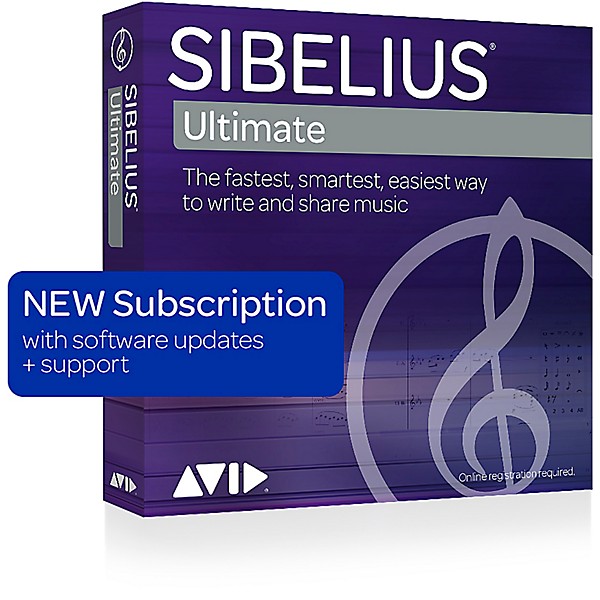
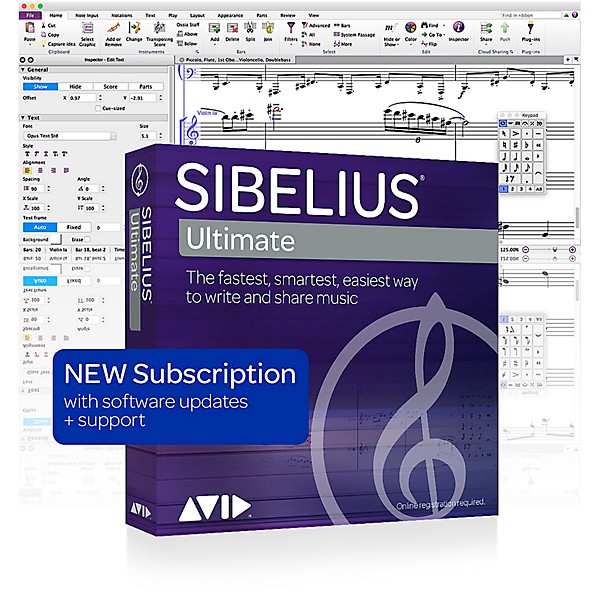
Sibelius Notation Software 1-Year Subscription
$99.00

Save on orders $199+ and get expert advice from a Gear Adviser
Need Help?
Description
Compose music and scores faster, easier, and more creatively than ever. Move to the latest version from older or different versions of Sibelius Access all new releases and support with the renewable All Access plan Upgrade from Sibelius 1-7.5.
Support
Along with this item, you get 90 days of complimentary support, and those first three months are when you need it most, when you are becoming acclimated to the GUI. Don’t be shy! Call! Sibelius is expecting you!
Edit Scores More Easily
Thanks to popular demand, you now have more flexible layout and composition possibilities to best present your score. Create perfect glissando and portamento lines easily. Collaborate more easily with improved MusicXML import and export. Work faster with the updated Inspector interface. Change staff sizes by system, individual instruments, and groups of instruments. And gain fine control of the new staff sizes in Engraving Rules.
Make Music Easier to Learn
Music doesn't have to be so black and white. With the latest Sibelius, you can now color individual notes and/or chords, giving students a more enhanced and visual way of learning to read and write music notation.
Get Better Rest
Inserting rests into your score is now easier and more intuitive. Whenever you add one, Magnetic Layout automatically repositions the rest to align optimally with the phrasing of preceding notes—no manual fixes required. Create easy-to-read scores faster than ever. Plus, you can now move rests and notes horizontally in your score.
Re-Spell and Repeat with Ease
It's now possible to have the same pitched note display a different accidental in any part compared to the rest of the score. You can also create concise first, second, and third time bars that appear and play back exactly like you'd expect them to, eliminating manual correction. Plus, all time signature changes now appear after the barline but before repeat barlines by default.
Share Your Score
Want to share your composition with a colleague, client, or friend? You can now export your composition as an MP3 audio file for faster file transfer that won't hit email size limits.
Write Music with a Pen on Surface Pro
If you own a Microsoft Surface Pro 3 tablet, you can now add and edit notes quickly with just a tap of the pen. This makes it easier than ever to fine tune your compositions on the go. Plus, you can play back your music using the tablet's onscreen keyboard and fretboard.
Add Notes and Comments
Sometimes you have a great idea, but you forget to write it down. Then the next thing you know, your idea is gone. The new Annotate feature allows you to add notes directly on the score—you can create reminders for yourself as you’re composing, or communicate edits and feedback to others.
Use Multi-Touch Gestures
With Sibelius, you can create scores faster than ever before thanks to an advanced user interface. You can navigate and edit even the most complex scores quickly using multi-touch gestures on your laptop trackpad or Surface Pro 3.
Support
Along with this item, you get 90 days of complimentary support, and those first three months are when you need it most, when you are becoming acclimated to the GUI. Don’t be shy! Call! Sibelius is expecting you!
Edit Scores More Easily
Thanks to popular demand, you now have more flexible layout and composition possibilities to best present your score. Create perfect glissando and portamento lines easily. Collaborate more easily with improved MusicXML import and export. Work faster with the updated Inspector interface. Change staff sizes by system, individual instruments, and groups of instruments. And gain fine control of the new staff sizes in Engraving Rules.
Make Music Easier to Learn
Music doesn't have to be so black and white. With the latest Sibelius, you can now color individual notes and/or chords, giving students a more enhanced and visual way of learning to read and write music notation.
Get Better Rest
Inserting rests into your score is now easier and more intuitive. Whenever you add one, Magnetic Layout automatically repositions the rest to align optimally with the phrasing of preceding notes—no manual fixes required. Create easy-to-read scores faster than ever. Plus, you can now move rests and notes horizontally in your score.
Re-Spell and Repeat with Ease
It's now possible to have the same pitched note display a different accidental in any part compared to the rest of the score. You can also create concise first, second, and third time bars that appear and play back exactly like you'd expect them to, eliminating manual correction. Plus, all time signature changes now appear after the barline but before repeat barlines by default.
Share Your Score
Want to share your composition with a colleague, client, or friend? You can now export your composition as an MP3 audio file for faster file transfer that won't hit email size limits.
Write Music with a Pen on Surface Pro
If you own a Microsoft Surface Pro 3 tablet, you can now add and edit notes quickly with just a tap of the pen. This makes it easier than ever to fine tune your compositions on the go. Plus, you can play back your music using the tablet's onscreen keyboard and fretboard.
Add Notes and Comments
Sometimes you have a great idea, but you forget to write it down. Then the next thing you know, your idea is gone. The new Annotate feature allows you to add notes directly on the score—you can create reminders for yourself as you’re composing, or communicate edits and feedback to others.
Use Multi-Touch Gestures
With Sibelius, you can create scores faster than ever before thanks to an advanced user interface. You can navigate and edit even the most complex scores quickly using multi-touch gestures on your laptop trackpad or Surface Pro 3.
Features
- Compose quickly and easily with a task-oriented interface that leads you through your entire score creation
- Access Sibelius easily through a low-cost monthly or annual subscription
- Get access to future Sibelius upgrades, plus support, with the Avid upgrade plan
- Write and edit scores using a Microsoft Surface Pro 3 tablet and pen
- Interact with your compositions using multitouch gestures on your laptop’s trackpad or Surface Pro 3
- Create reminders for yourself and communicate feedback to others with the with the new Annotate feature.
- Get unrivaled expressiveness and feel with the fully redesigned Espressivo 2.0
- Navigate through large scores quickly with the Timeline window
- Get professional-quality sound with the included 36 GB Sibelius Sounds library
- Create faster, with more virtual instruments and effects, with full 64-bit performance
- Save hours of time with powerful features such as Magnetic Layout and Dynamic Parts
- Create beautiful, professional-quality scores with full DTP-level layout, text, and typography tools
- Scan and transcribe music with PhotoScore Lite and AudioScore Lite, included
- Send your scores to Pro Tools and other DAWs using ReWire, included
- Collaborate with others by sharing scores over email or through MusicXML
- Share scores on ScoreExchange.com, YouTube, Facebook, and SoundCloud
- Export a video file of your score online or to a DVD for others to see and hear your work
- Export scores directly to Avid Scorch on your iPad for playback, practice, performance, and publishing
Reviews
4
1 Reviews
100%
of respondents would recommend this to a friend
Filters
Best Uses
- Educational Purposes1
Computer Platform
- Mac1
Cons
- Not Enough Audio Tools1
Describe Yourself
- musician of over 20 years1
Primary use
- Personal1
Pros
- easy to install1
- several online tutorials1
Reviewed by 1 customers
Sibelius has long history of great products
Verified Buyer
submitted3 years ago
byMike
fromDenver, CO
Submitted as part of a sweepstakes
Since product was just delivered and installed as a Christmas gift it is to early to provide reasonable comments.
- Previous
- 1
- Next
Q&A
Have a question about this product? Our expert Gear Advisers have the answers.
submitted3 years ago
asked byDiego
fromHouston, TX
Can you import music from ProTools into Sibelius?
I’m very sorry, I don’t know. Perhaps an inquiry to Sibeliussubmitted4 years ago
asked byCal
fromHouston
Does this mean that once the product is downloaded, it must be renewed every year? In earlier versions, once the disc was loaded, the software was installed on the hard drive.
Yes it does
Be the first to know about exclusive offers, tips and more.

866-498-7882 English
877-687-5402 Español